- What it is
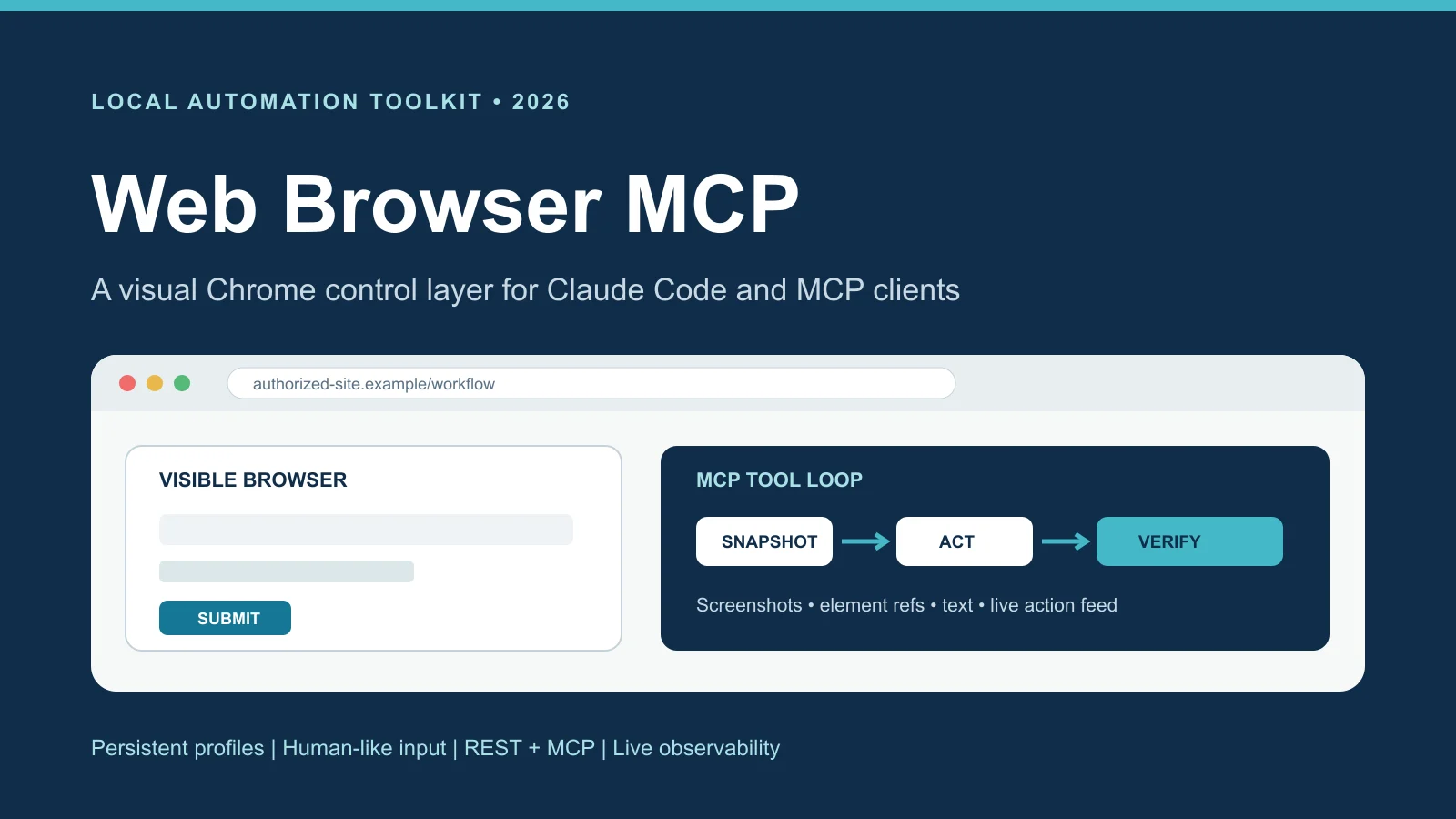
- A tool that lets Claude Code and other AI agents use a real Chrome browser on my computer, instead of just downloading raw web pages.
- Why I made it
- A lot of my automation projects kept needing the same thing: a browser that could handle modern websites and stay signed in. I kept rebuilding it, so I made it its own project.
- What I did
- I built a small server that runs Chrome, and an MCP layer on top with tools like navigate, snapshot, click and type, plus numbered boxes over everything clickable and a live viewer.
- How it turned out
- Claude and my scripts can share one signed-in browser, and the live viewer makes it easy to see why an agent is stuck. I only use it on sites and accounts where that's allowed.
The details
How the AI sees a page
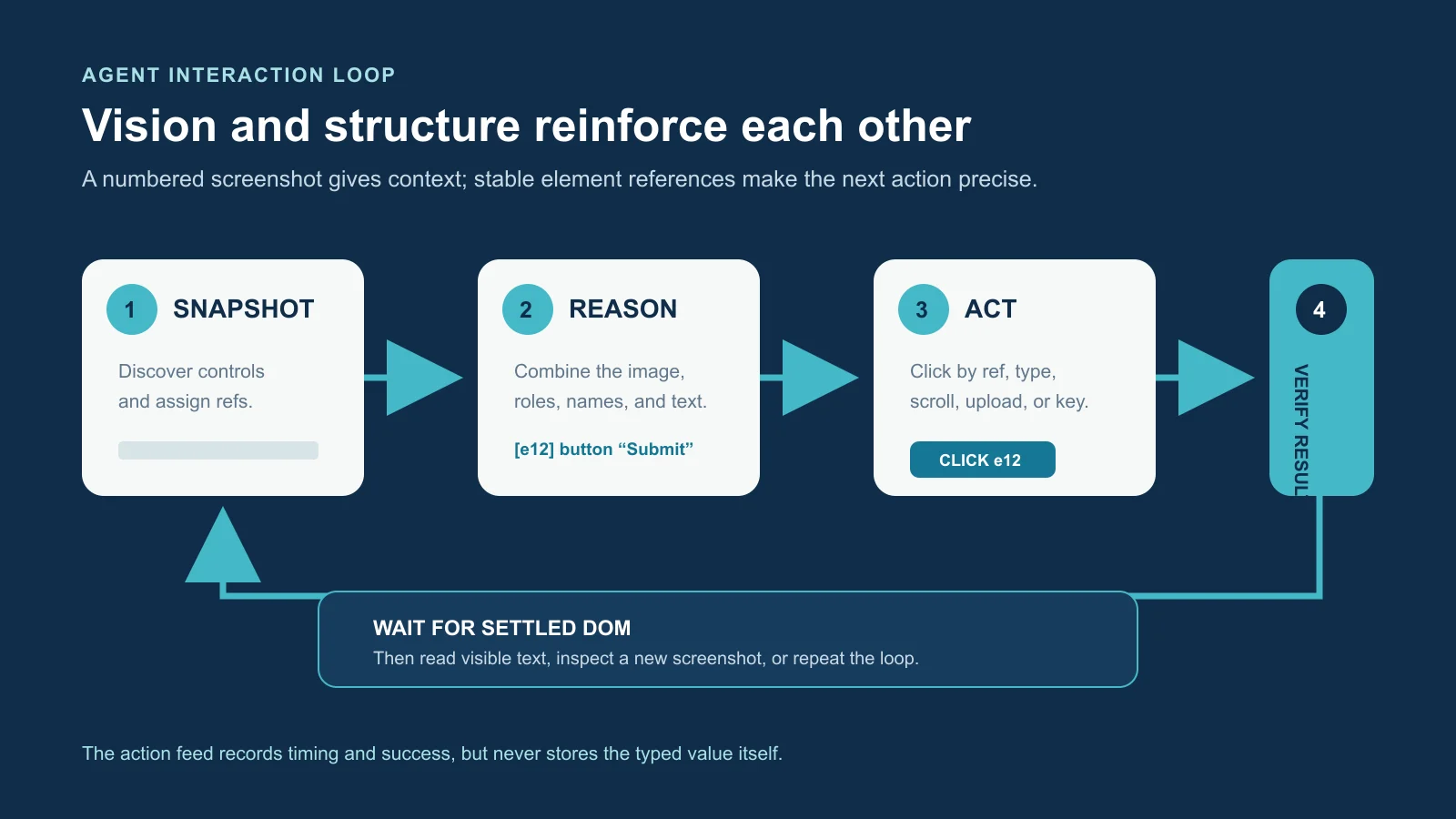
The most useful part is the snapshot. It finds everything on the page you can click or type into, gives each one a number, and draws numbered boxes on a screenshot. The AI gets both the picture and the list, so it can say "click 12" instead of guessing where to click. Then it looks at the page again to make sure it worked.
How it's put together
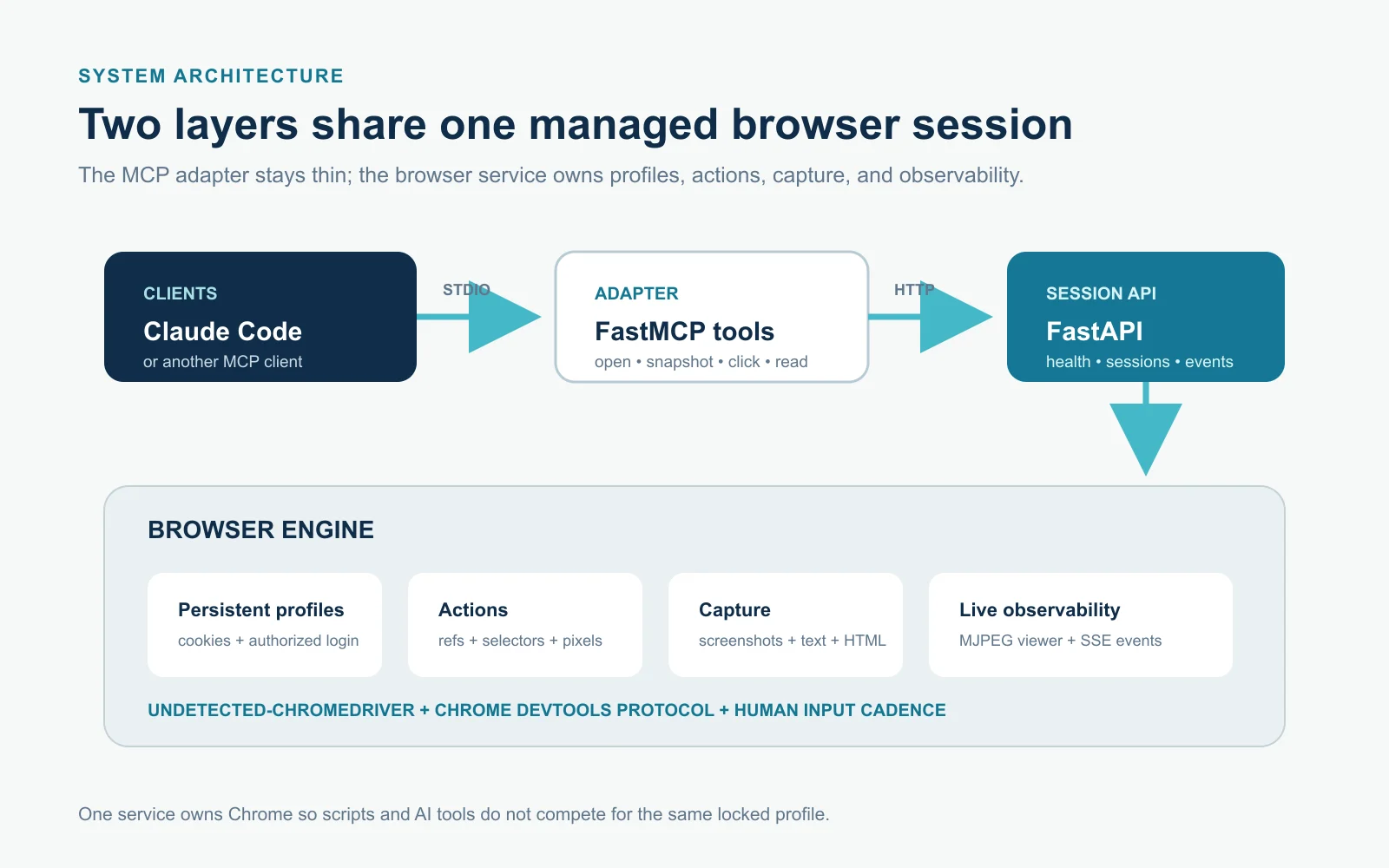
There are two layers. The bottom one is a small server that runs Chrome and keeps track of profiles and tabs. The top one is an MCP server, which is the standard way to give Claude new tools, with tools like navigate, snapshot, click and type.
Chrome only lets one program use a profile at a time, so splitting it this way lets my scripts and Claude share the same signed-in browser instead of fighting over it.
Watching it work
Every action gets logged with how long it took and whether it worked. Anything typed only shows up as its length, so passwords never end up in the log. There's also a live viewer that shows the browser next to the action log, which made it way easier to see why an agent was stuck.
What's next
It runs on my own computer, and I only use it on sites and accounts where that's allowed. Next I want to record a short demo of Claude filling out a test form while the live viewer shows every step.