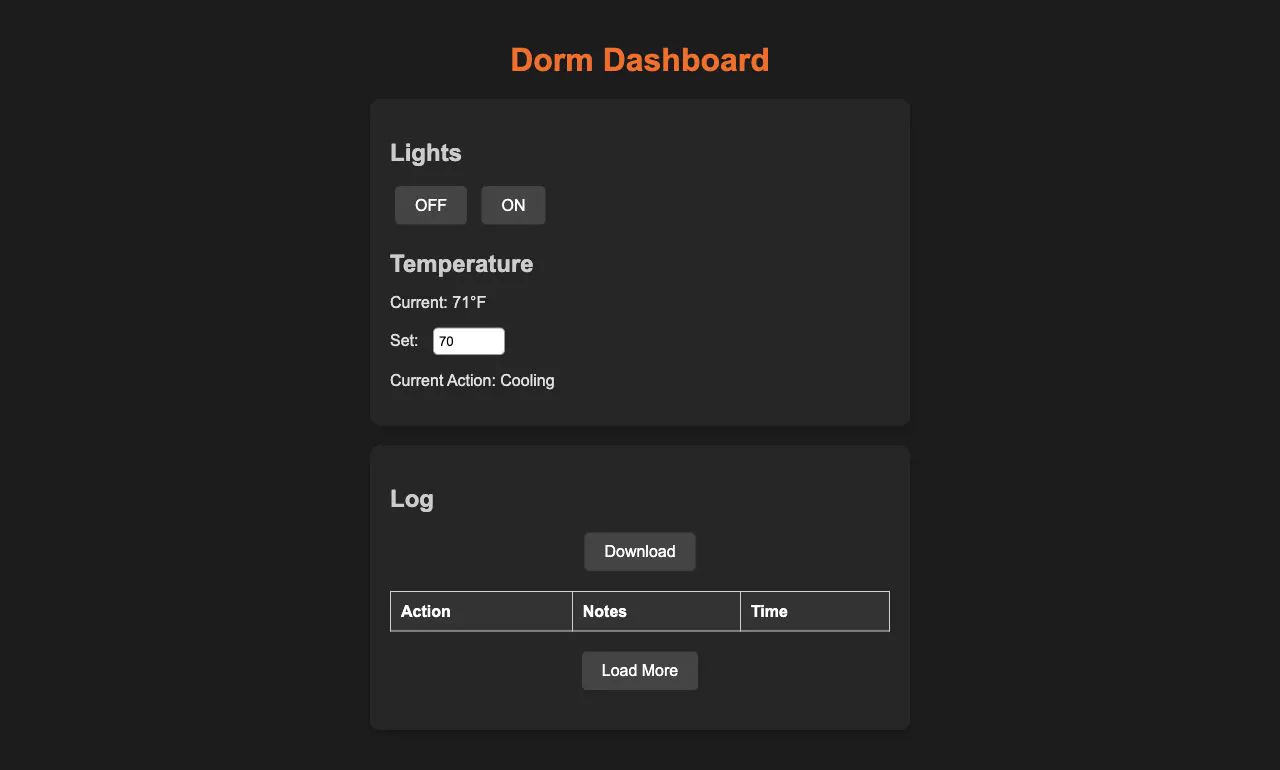
The RIT folder holds two unrelated coursework-era pages that happen to share a directory. dorm-dashboard.html is a dark, RIT-orange control panel for a dorm room: light ON/OFF buttons, a current/target temperature readout and an activity log table with Download and Load More controls. swen101.html is a personal introduction page for SWEN 101 whose four content boxes scatter to random positions on load and physically run away from the mouse pointer. Both are plain HTML, CSS and vanilla JavaScript with no build step, no framework and no shared navigation; neither page is linked from anywhere else in the site.
Dorm Dashboard: a dorm-room control panel
The page is headed "Dorm Dashboard" and splits into a control panel and a log. The control panel has Lights with OFF and ON buttons, a Temperature block showing "Current: 71°F", a number input labelled "Set" that defaults to 70, and a line reading "Current Action: Cooling". The log section, headed "Log", is a three-column table of Action, Notes and Time, wrapped by a Download button above and a Load More button below.
The styling is where most of the effort went: a dark palette driven entirely by CSS custom properties, with the author's own comment marking #ff6600 as "Subtle touch of RIT's orange" for the heading, and the matching hover colour commented as an "Orange hover effect to reflect RIT colors without overpowering". Sections are centred cards with rounded corners and a soft shadow, and the log table gets a dark header row and alternating row colours.
Under the hood it is a front-end shell rather than a working system. loadLogs() runs on DOMContentLoaded and iterates an array of log entries that is currently empty, so the table always renders with headers only. toggleLights(), downloadLog() and loadMoreLogs() do nothing but console.log, and setTemperature() only reads the input's value and logs it. The comments state the intent — download the log "as a CSV or JSON file" and load more logs "(e.g., from a server or additional JSON)". The current temperature and current action are hardcoded in the HTML, and there is no hardware, backend or persistence anywhere in the code.
SWEN 101: an intro page that runs away
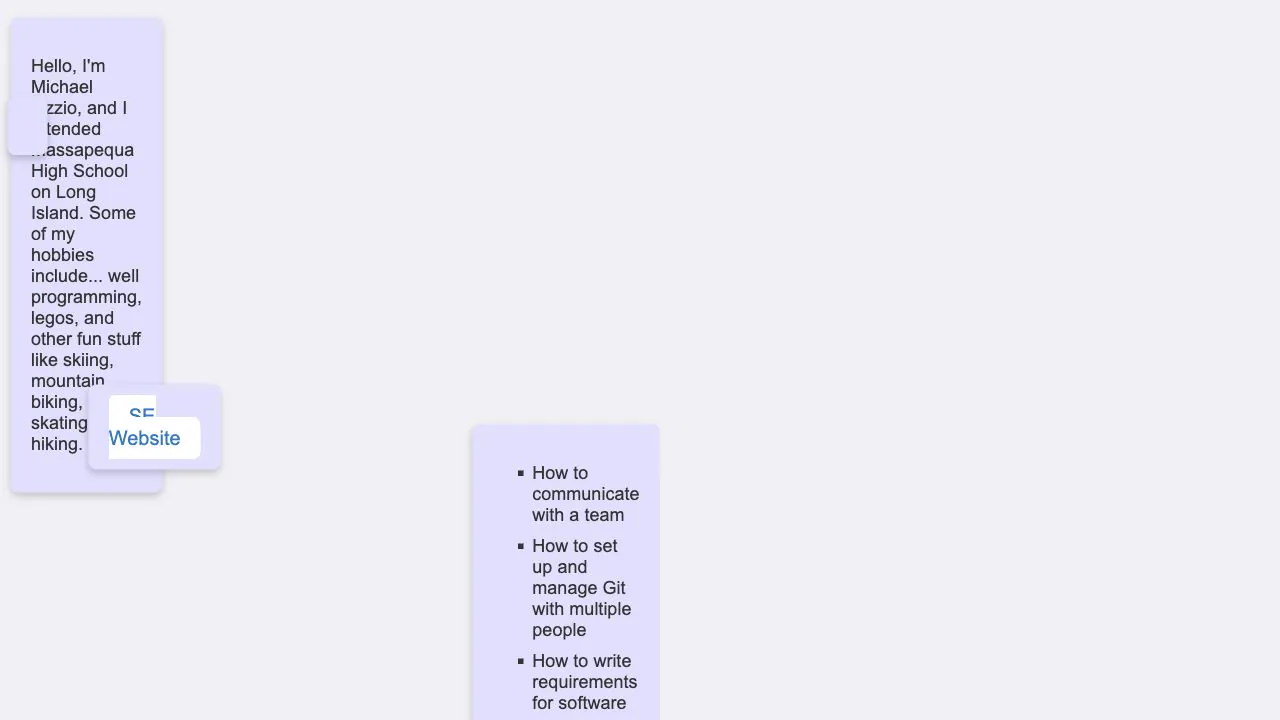
The SWEN 101 page is four floating boxes: an introduction, a photo of a favourite food (alt text "Empanada"), a box holding a single link labelled "SE Website" that opens RIT's Software Engineering department page in a new tab, and a list of things to learn. The intro reads: "Hello, I'm Michael Lizzio, and I attended Massapequa High School on Long Island. Some of my hobbies include... well programming, legos, and other fun stuff like skiing, mountain biking, ice skating, and hiking."
The list is the course wish-list: "How to communicate with a team", "How to set up and manage Git with multiple people", "How to write requirements for software", "How to use my previous knowledge to get ahead", and "How to make text run away ahahahaha".
That last item is the page's actual mechanic. On load the script absolutely positions every .box at a random spot in the viewport, then listens for mousemove: for each box it measures the distance from the cursor to the box centre, and when that distance drops under 150 pixels it pushes the box away along the cursor-to-centre vector by half the delta, clamping the new left/top so the box stays inside the window. The author's comment on that multiplier reads "Adjust the multiplier to change the speed of movement". The body is set to overflow: hidden — commented "Prevents scrollbars when elements move" — so the moving boxes never produce scrollbars.
How it is built
Both pages are hand-written static files with no dependencies: one HTML file, one stylesheet and one script each, loaded directly with <link> and <script> tags. There is no framework, bundler, package manifest or data fetch of any kind in the folder.
The dashboard leans on CSS custom properties for a themeable dark palette and wires its controls with inline attributes — onclick on the buttons, onchange on the temperature input — that call global functions. swen101.css is much plainer: a pale #f0f0f5 page, lavender #e0e0ff boxes with rounded corners and a soft shadow, square list bullets, and the SE Website link dressed as a white pill with blue text.
The SWEN 101 page drives everything from JavaScript geometry — getBoundingClientRect plus absolute left/top — rather than CSS animation. Between them they cover the two halves of a beginner front-end exercise: a laid-out, themed interface with stubbed behaviour, and a tiny piece of real interaction logic.