Inspiration
I've wanted to create this project since before coming to RIT. Back in high school, I would’ve loved to have a tool like this, especially for English and social studies, where lectures were a big part of learning. I always struggled with juggling note-taking and actively listening, often missing key points because I was too busy writing.
Originally, I planned to use Glean, a software with similar functionality. However, I discovered that it doesn’t allow data exports. Even after emailing their support team back in October, I never received a response. So, I figured, why not build it myself?
What It Does

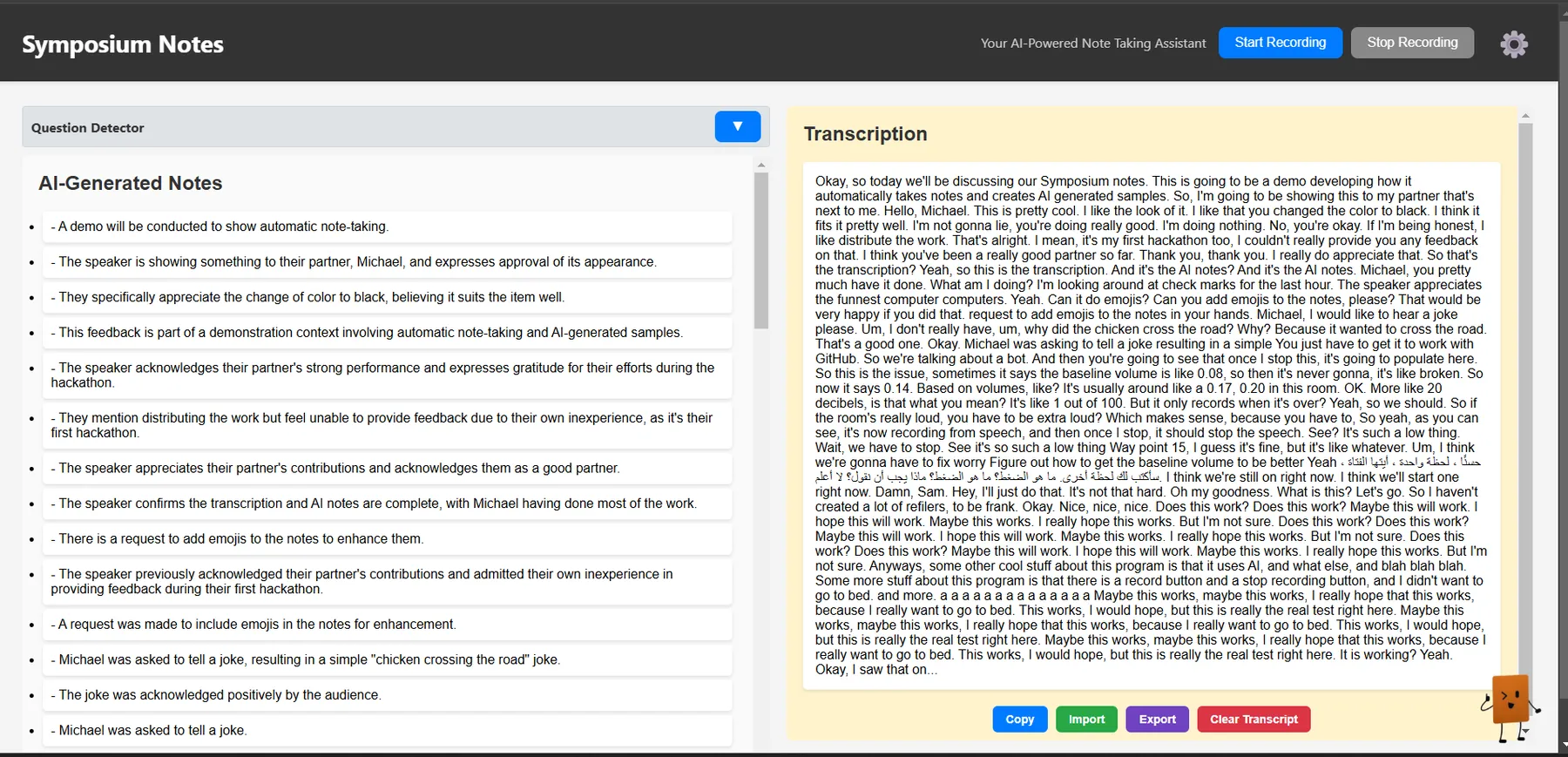
Live Audio Recording & Segmentation
- Users can start and stop recording at any time.
- The system automatically detects speech and segments recordings based on pauses.
- Each segment is stored for better organization and transcription.
AI Transcription & Summarization
- Converts recorded audio into text using OpenAI’s Whisper API.
- Generates AI-powered summaries in bullet points.
- Users can customize how many bullet points they want.
Notes & Transcript Management
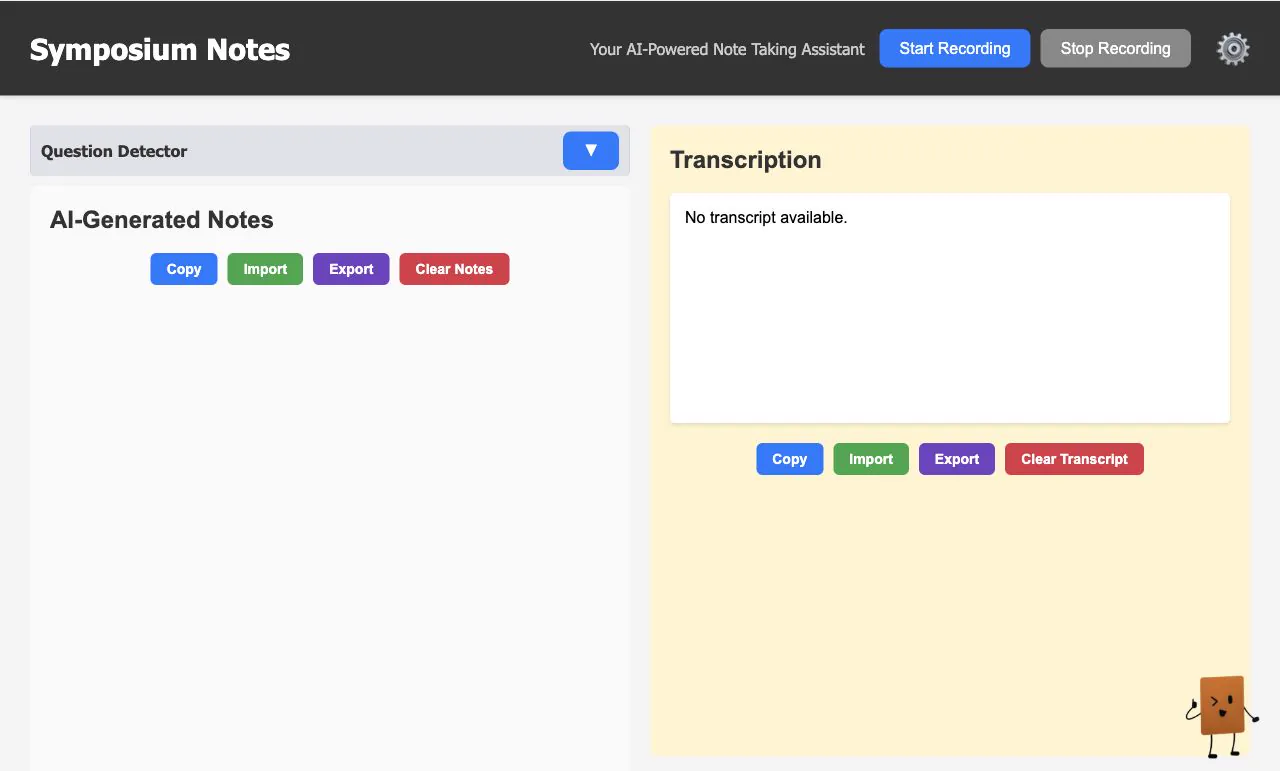
- Locally stored notes that can be edited, exported, or cleared anytime.
- Separate views for transcripts and notes for a better experience.
- Users can delete individual notes or clear all when needed.
Customizable Settings
- Users can fine-tune audio processing settings, including calibration time, silence detection, and segment length.
- OpenAI API key is stored securely in local storage.
AI Chat Assistant
- A floating chat assistant that answers follow-up questions about notes.
- Uses transcript context to generate relevant responses.
- Designed with a modern, sleek chat interface.
Import/Export Functionality
- Users can import/export notes and transcripts as .txt files.
- Enables easy backups and sharing of information.
Challenges We Ran Into
- Limited experience with JavaScript and CSS made certain features tricky.
- The biggest challenge was dividing tasks efficiently. We had to strategize how to integrate our individual work without stepping on each other’s toes.
Accomplishments We’re Proud Of
- The system is fully functional, and we were able to complete it in time for the hackathon.
- We built a working AI-powered tool in such a short time.
- Working as a team was a fun and rewarding experience.
What We Learned
- Don’t leave the DevPost submission for the last minute.
- Collaborating on a team project can be challenging, but it’s also incredibly rewarding.
- Helping and teaching each other made the experience even more valuable.
What’s Next for Symposium Notes?
- Hosting on a free-tier platform so users can access it with their own OpenAI API key.
- Adding folders to organize notes by subject.
- Uploading PDFs and presentations so AI can follow along and provide more detailed notes.
This is just the beginning, and we’re excited to see how this tool evolves.